Automate Your Leads and Scale Faster with Facebook

Seamlessly sync new contacts from Facebook Lead Ads directly into Income Mavericks, ensuring immediate follow-up and zero manual data entry. Convert more leads and save hours every week by connecting your primary marketing channel.

What is Facebook?

Facebook bridges the gap between your social media presence and your sales pipeline.

By connecting your accounts, you can automatically capture lead form data and manage messages in one unified dashboard, ensuring no high-intent prospect ever falls through the cracks.

Why You’ll Love This Integration

Instant Lead Capture

Automatically sync leads from Facebook Lead Ads to your CRM, triggering immediate follow-up sequences.

Unified Messaging

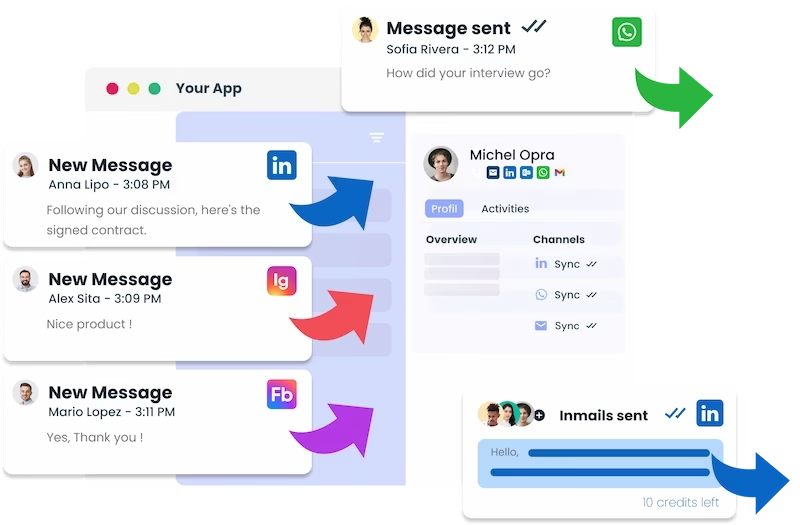
Manage your Facebook Page messages alongside your emails and SMS to keep all client communications in a single, organized thread.

Automated Workflows

Use Facebook triggers to launch automated marketing campaigns the moment a user interacts with your brand.

Connect your favorite
tools with Income Mavericks.

Income Mavericks features native integrations with your most-used tools, including Slack, Google Calendar, Gmail, Facebook and more...

Ready to Put Your Social Sales on Autopilot?

Stop wasting time switching tabs and manually exporting CSV files. Connect Facebook to Income Mavericks today and focus on closing deals, not managing data.


Already a client?

  • Go to Settings and select Integrations in your Income Mavericks dashboard.
  • Click the Connect button next to the Facebook icon.
  • Authorize the connection by logging into your Facebook Business account.
  • Select the specific Facebook Pages and Lead Forms you wish to sync with Income Mavericks.
  • Map your Facebook form fields to the corresponding fields in your Income Mavericks CRM.
Quick Setup Detailed Link Connecting Facebook Lead Ads Troubleshooting Your Facebook Connection Mapping Your Facebook Form Fields Facebook Integration Permissions Using Facebook Leads in Automations
©2026 Techanisms. All rights reserved.

Test Popup